FlightPlan.
A prompt-based shopping assistant that recommends media deals based on what an advertiser asks for and their advertising profile, then presents the plan in a clean one-page presentation.
- Design for the feature, as I do for every Select feature
- The design team’s work with engineering from concept to build
- The conversation, the plan builder, and the presentation output
- All of it in about a week, on the Select design system
- All of the hands-on design on MNTN Select, this feature included
The concept landed, and so did the presentation.
From closed alpha sessions with three customers: a performance marketing agency, an in-house research and strategy team, and an in-house growth team. Customers are anonymized.
An in-house growth team, unprompted, on whether they would use FlightPlan.
A performance marketing agency, on the direction: describe a campaign and get a plan back.
Across all three sessions, the core interaction was validated as how sophisticated buyers already think about planning.
Users are already raving about the way FlightPlan outputs the plan as a presentation.
Planning a media buy by hand.
Advertisers know their goal in plain language, such as reaching new sneaker buyers, but turning it into the right mix of deals and a sensible budget split is slow, manual work.
Today, sophisticated buyers sort the deal catalog by CPM, judge content fit by instinct, split budgets evenly, and rebalance later based on performance. Some already lean on general-purpose AI assistants to build audience profiles from scratch.
Select already had a signal that recommendations work. Its single-deal "Recommended For You" surface converts visitors to purchase at a much higher rate than generic deal search, which is the strongest evidence that planning with a recommendation engine beats browsing deal by deal.
Describe a campaign. Get a plan back.
FlightPlan is a prompt-based shopping assistant for Select. Instead of browsing deal by deal, an advertiser describes what they want to achieve, and FlightPlan recommends a media plan based on their prompts and their advertising profile.
I led the design, as I do for every Select feature. The conversation, the plan builder, and the presentation output were designed in about a week on the Select design system, and development took about a month.
An AI product, designed with AI.
I started from the Select design system, existing UI layouts, and my WWMD review skill, so the first round already spoke the product's language.
I explored several directions for the conversation, the plan builder, and the presentation before committing to one.
I refined by hand in Figma and fed those changes back so each pass built on my decisions.
Stakeholders reviewed a working front end, so approved designs went to engineering ready to build. See my full AI workflow.
From a sentence to a shareable plan.
Scroll inside each screen to explore. Accounts and data shown are demo content.
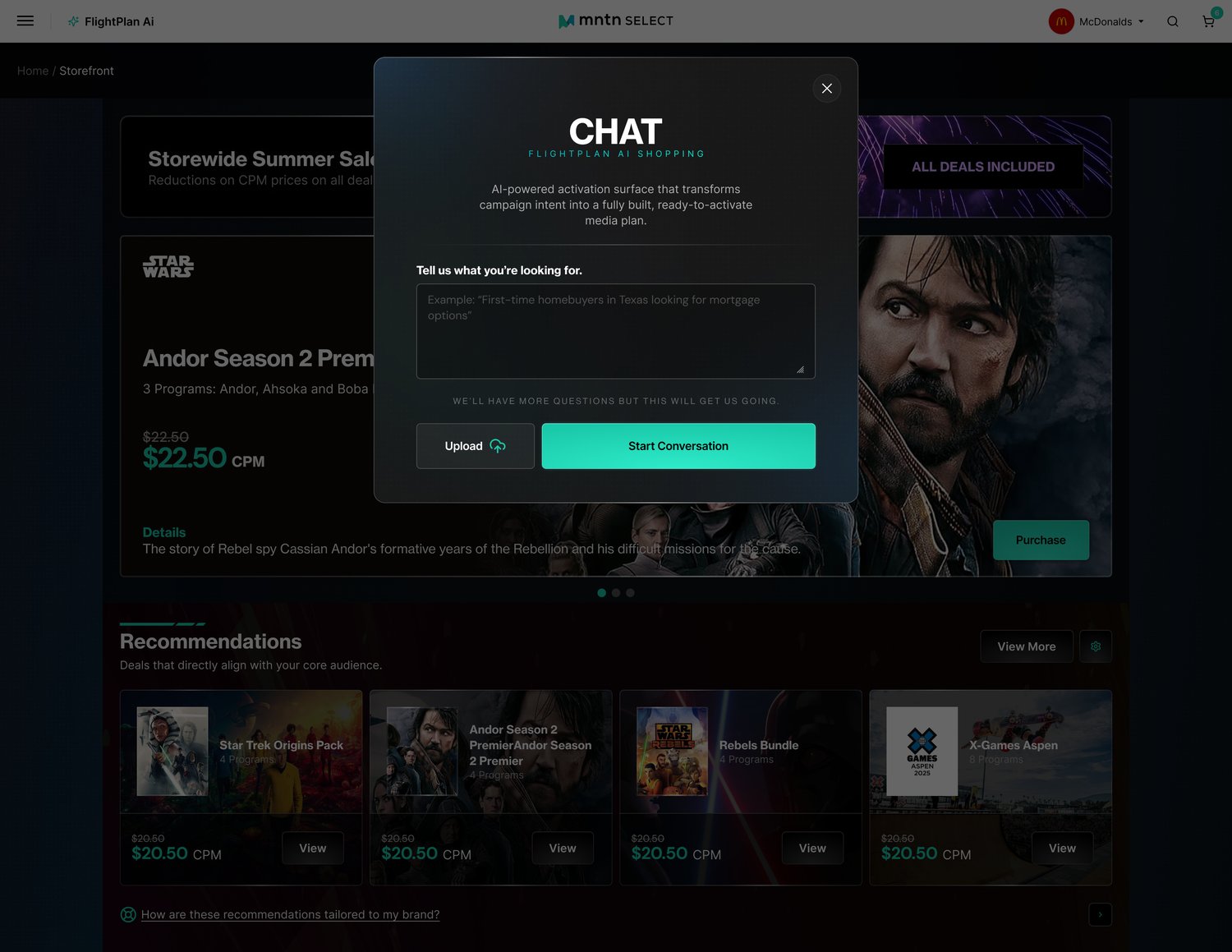
A modal introduces FlightPlan AI Shopping as an "AI-powered activation surface that transforms campaign intent into a fully built, ready-to-activate media plan." A single prompt box asks buyers to tell it what they are looking for, with an Upload option beside Start Conversation.
Why: Buyers already describe goals in plain language, so the first step is one open field instead of a form. The line "We'll have more questions but this will get us going" sets expectations without stalling the start.
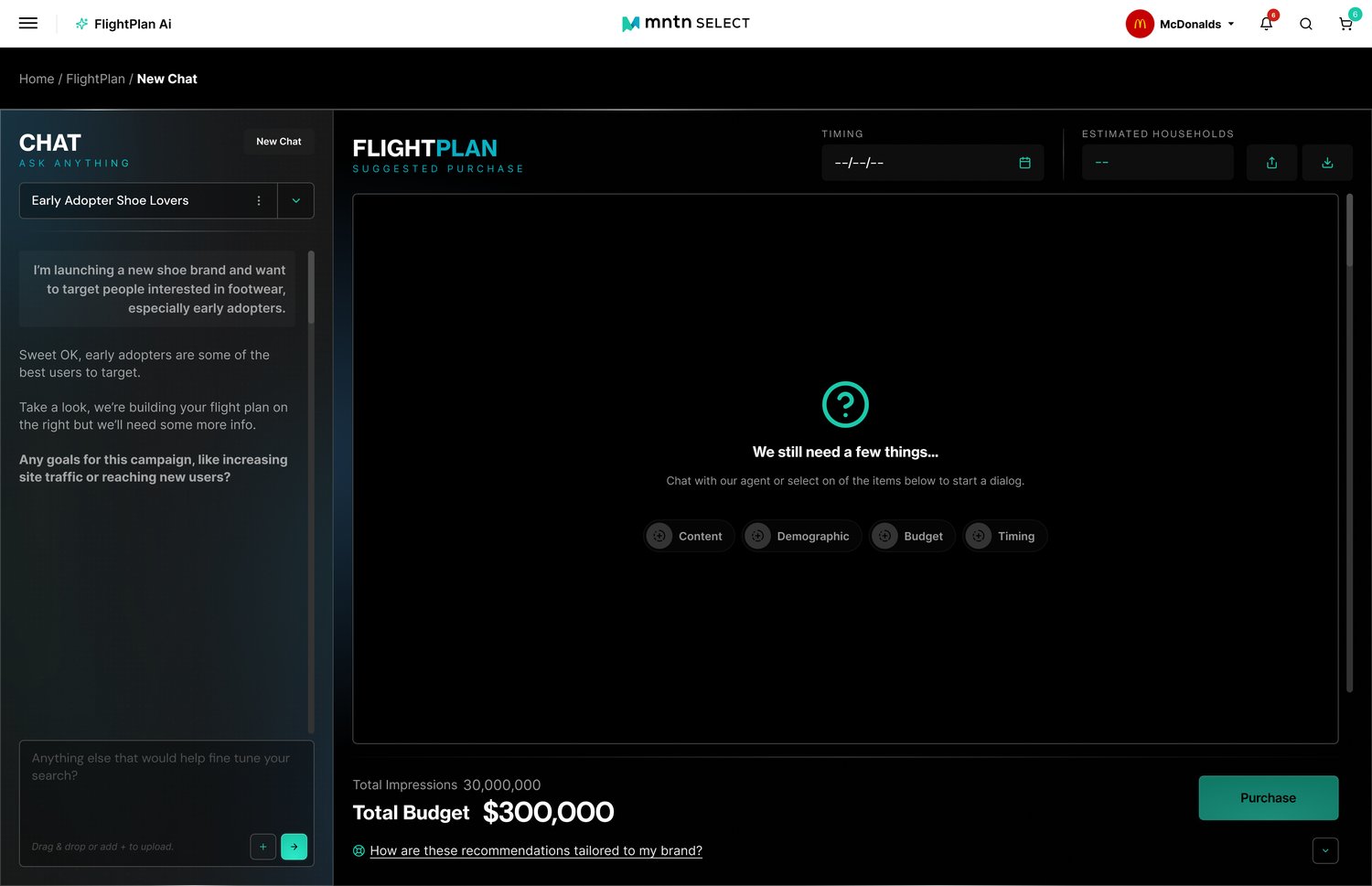
The chat sits on the left with a selector for saved plans. On the right, an empty state says "We still need a few things" and offers Content, Demographic, Budget, and Timing as ways to start a dialogue, with total impressions, total budget, and Purchase at the bottom.
Why: The empty state tells buyers exactly what the plan still needs, so the chat and the plan never feel like two separate tools, and saved plans let buyers pick up where they left off.
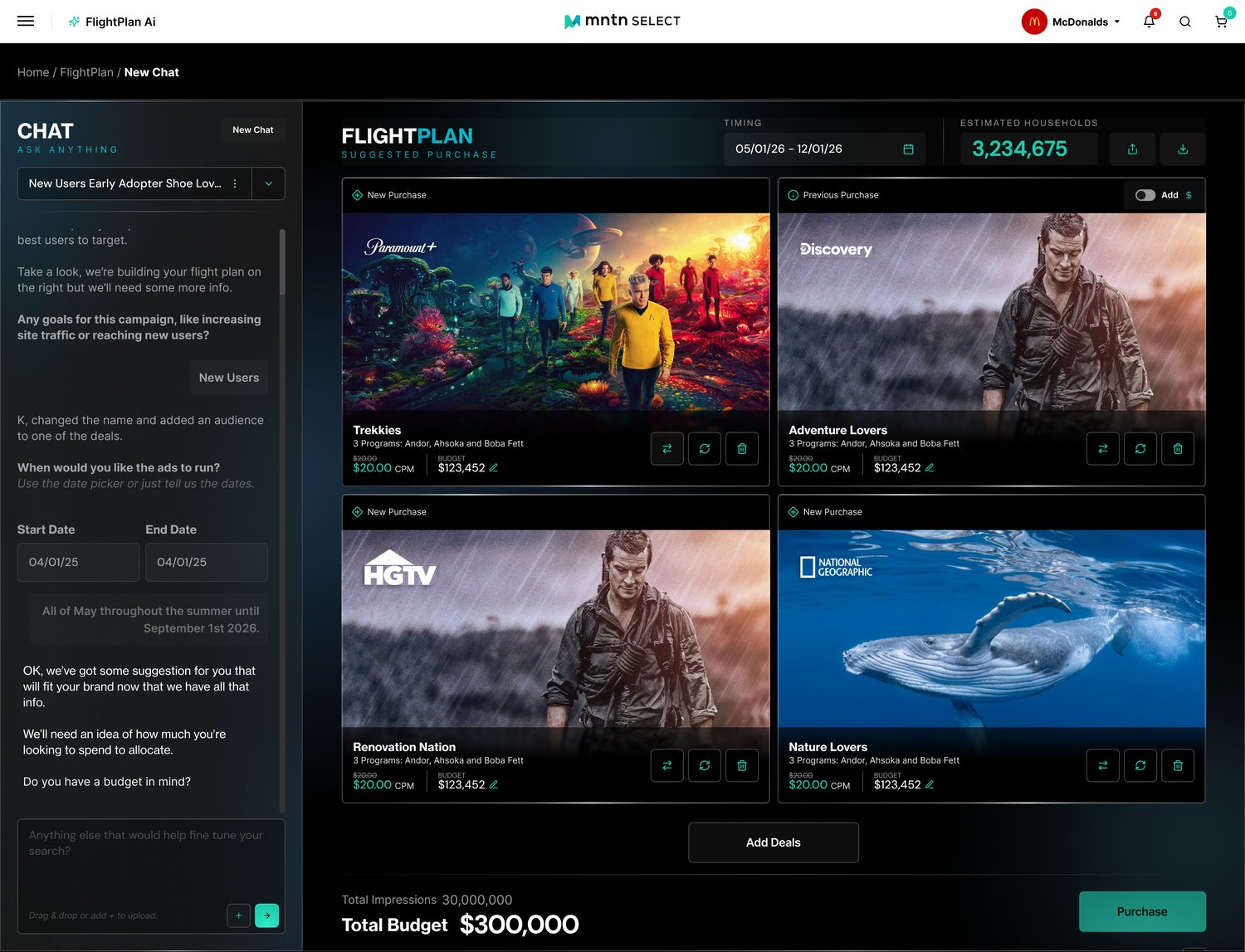
As the chat gathers answers, the plan fills with deal cards showing network, program count, CPM, and budget. Labels mark new and previous purchases, controls let buyers swap, refresh, or remove a deal, and timing, estimated households, total impressions, and total budget stay in view.
Why: AI proposes the plan, but every deal can be swapped, refreshed, removed, or have its budget edited, so buyers stay in charge of what they commit to.
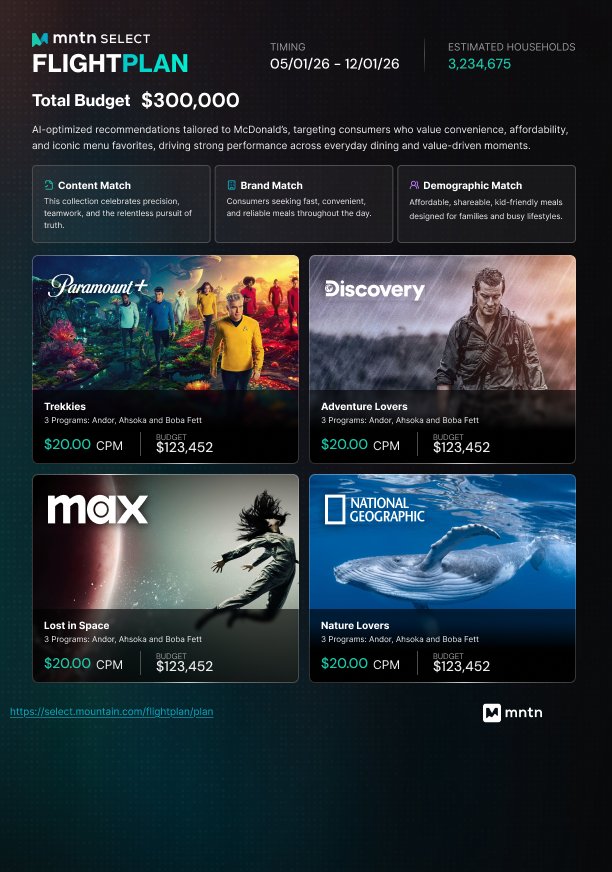
The output is a one-page presentation: timing, estimated households, and total budget up top, a plain-language summary tailored to the advertiser, Content Match, Brand Match, and Demographic Match cards, and the recommended deals with CPM and budget, ending with a shareable link and MNTN branding.
Why: Plans often need to be explained to someone else, so the output is designed as a presentation, not a data dump: the headline numbers first, then why the plan fits, then the deals.
Experience the working mock.
An interactive HTML mock built from the Select design system. Switch between grid and list, expand a deal, and flip light and dark.